Web Pro
$9.99 USD per month
- No installation
- Open from any browser
- Always up to date
Professional photo reporting
Turn project photos into clean, organized reports with PhotoSheet — in your browser or on your Windows desktop.
Browser-based · $9.99 USD per month
Windows 10/11 · $49.99 USD one-timeWindows 10/11$49.99 USD25% Launch Sale$37.49 USD one-time
$9.99 USD per month
Flexible report layouts
Use a larger photograph when the detail matters.
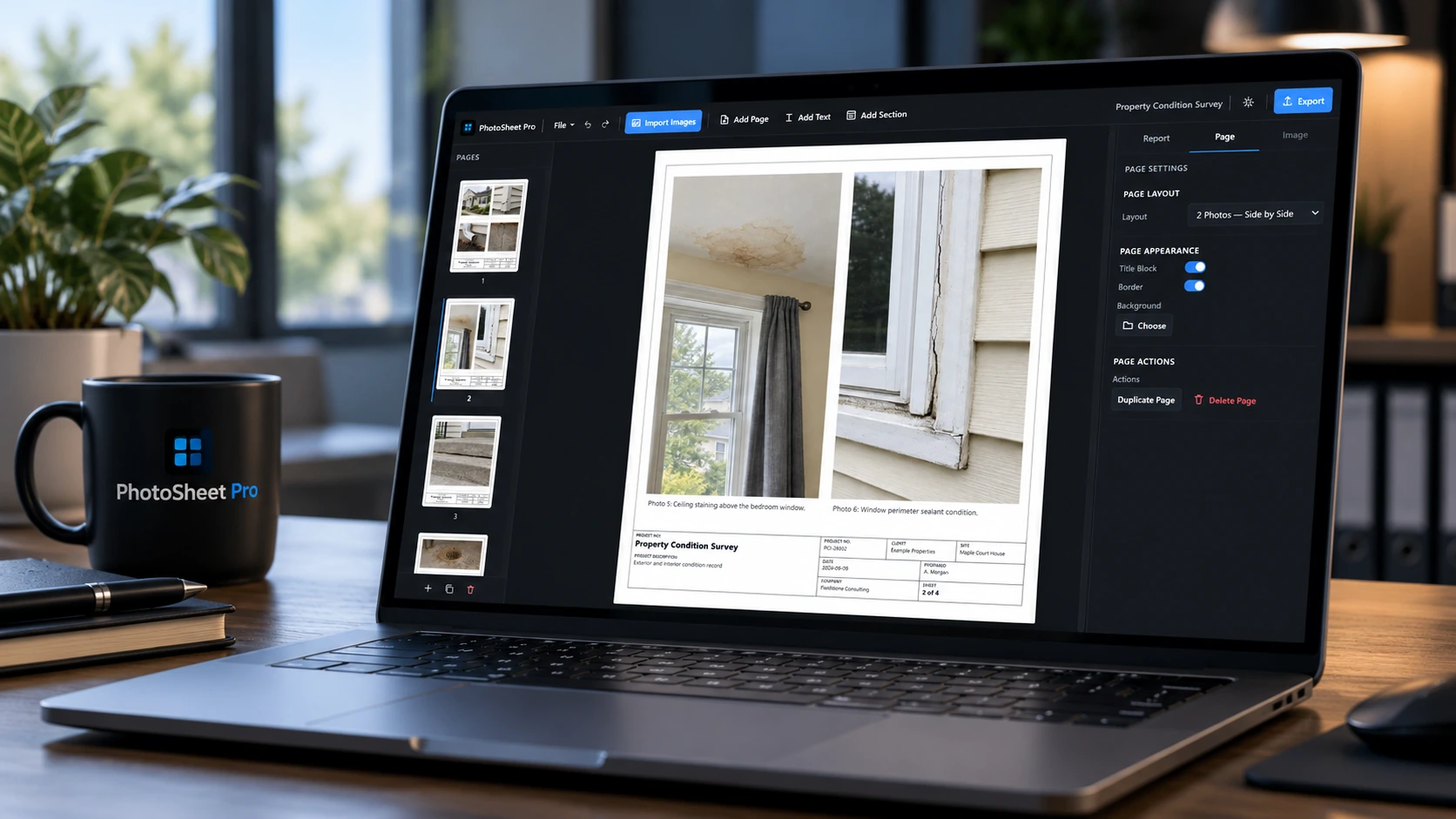
Place photographs side by side with a caption for each.
Stack two photographs on a page with their own captions.
Document related observations in a compact four-photo layout.
Use a six-photo grid for a detailed field record.
PhotoSheet works with files stored on your PC and creates reports locally. You choose where projects and exports are saved.
Less formatting. More progress.
Build clean, organized photo reports for inspections, projects, and documentation. Import your photos, add captions and project details, then export the finished report in just a few clicks.
See how it fits your workflowFrom photos to finished report
Select individual images or an entire folder. Preview your photos and choose the report layout, captions, image fit, sections, and title-block behavior.
Edit captions, change page layouts, add sections or free text, customize project information, and drag photos or pages into place.
Create PDF reports, Visual DOCX files, Editable Word Photo Tables, or individual page images.
01 / IMPORT
Select individual photos or bring in a whole folder. Preview and choose the images you need before they reach the page.
02 / ARRANGE
Use one photo, two side-by-side, two stacked, a 2×2 grid, or a 2×3 grid. Show the full image, crop to fill, or stretch to fit.
03 / CUSTOMIZE
Bring the report title, project description and number, client, site, and date into one consistent title block.
04 / EXPORT
Save and reopen .photosheet projects for later editing. Quickly return to recently opened reports with Recent Projects.
Made for the work you document
Photo report software for the people who need a clear record of what happened on site.
Environmental photo reports for site investigations, monitoring programs, remediation projects, field reports, and technical appendices.
Construction photo reports for progress photographs, site visits, deficiencies, and project documentation.
Condition assessments, safety records, compliance work, and inspection reports.
Property conditions, damage records, restoration work, and building documentation.
Infrastructure projects, field documentation, and project photo records.
The finished result
Clear photographs. Useful captions. Project details in place.
View full-size report
View full-size report
View full-size report
Free evaluation
Bring a few project photos. See how quickly a report comes together.
Downloadable Windows app · Up to 12 photos · Watermarked PDF
The demo does not include project save/open, DOCX, or page-image export.
Try PhotoSheet Reports WebDesktop Pro. One simple purchase.

Everything you need for professional photo reporting.
$49.99 USD25% Launch Sale
one-time purchase
Buy PhotoSheet Reports ProWindows 10/11 · No subscription
Included with Pro
Need PhotoSheet for your team? Team licences are available
Web Pro. Work from any browser.
PhotoSheet Web Pro
Professional browser-based photo-report builder with no installation required.
$9.99 USD per month
Open PhotoSheet Web ProMonthly subscription · Cancel anytime
Included with Web Pro
Report content stays in your browser. Save project files to your device and reopen them when you need them.
Desktop Pro is a one-time, perpetual licence for one user. Web Pro is a monthly subscription. Demo editions are for evaluation.
The downloadable Windows evaluation app supports up to 12 photos and watermarked PDF exports. Project save/open, DOCX, and page-image export are not included.
Yes. The desktop application works locally without requiring an ongoing internet connection.
PhotoSheet works with files stored on your computer. You choose where projects and exports are saved. No cloud upload is required to build your reports.
Visual DOCX preserves the completed report as a visual Word document.
Editable Word Photo Tables recreate the report using editable Word tables, captions, text, and replaceable images. Because Word uses a flowing document layout, minor spacing or pagination differences can occur.
Supported report images: PNG (.png), JPEG (.jpg, .jpeg), WebP (.webp).
Yes. Customize captions, photo layouts, title blocks, project fields, and your company logo. Add sections or free text and rename title-block labels to suit your work.
Yes. Save and reopen .photosheet projects for later editing. Recent Projects helps you quickly return to recently opened reports. Project saving is included in Pro.
The current desktop release is available for Windows 10 and 11.
Yes. PhotoSheet Web Pro lets you create, edit, and export reports in your browser with a monthly subscription. A free browser demo is also available.
After successful payment is verified, download the installer on the website. A purchase email also provides a private recovery link valid for 2 years (730 days); keep it private. Keep your purchase email and retain your Stripe payment receipt. If the email is missing, contact support with your order reference.
Digital software purchase. Sales are generally final after delivery, subject to applicable law and our refund policy. See our refund policy for details and how to request help.
Yes. Contact PhotoSheet support for team licensing options.
Ready when you are
Use PhotoSheet in your browser or the Windows desktop application.
Web Pro: $9.99 USD/month · Browser
Desktop Pro: $49.99 USD once · Windows 10/11Desktop Pro: $49.99 USD25% Launch Sale$37.49 USD one-timeWindows 10/11